
Download Photoful! – photo collage, photo editor, create collage, edit photos, collage maker
Overview
Photoful! is a focused mobile application designed specifically for users who want to create visually engaging photo collages with minimal effort. As a dedicated collage maker, the app streamlines the process of combining multiple images into a single, cohesive composition. It serves as a practical tool for individuals seeking to organize and present their photos in creative ways, whether for social media, personal albums, or event memorabilia. The app is particularly useful for casual users, students, and content creators who value simplicity and quick results without the complexity of full-featured photo editing suites.
Targeted primarily at Android users, Photoful! offers a lightweight solution for image merging and layout customization. Its core purpose is to transform a collection of photos into a structured, shareable format with support for various file outputs. While the app does not include advanced editing tools such as filters, retouching, or layer adjustments, its singular focus allows for a streamlined experience centered on collage creation. This specialization makes it a valuable addition to the photography app ecosystem, especially for users who prioritize layout control and visual presentation over extensive editing capabilities.
The developer, Photoful!, has not provided detailed background information about the company or its development history. However, the app’s release date of April 23, 2010, indicates it has been in the market for over a decade, suggesting a stable and enduring presence. Despite its long-standing availability, the app remains relevant due to its consistent functionality and minimalistic design. Real-world use cases include creating birthday tributes, travel photo summaries, or classroom project displays, where visual storytelling through image arrangement is key.
Key Features & Functionality
- Easy Collage Creation: Users can quickly combine multiple photos into a unified collage using a simple, intuitive interface. The app guides users through the process with minimal steps, making it accessible even to those with no prior experience in photo editing.
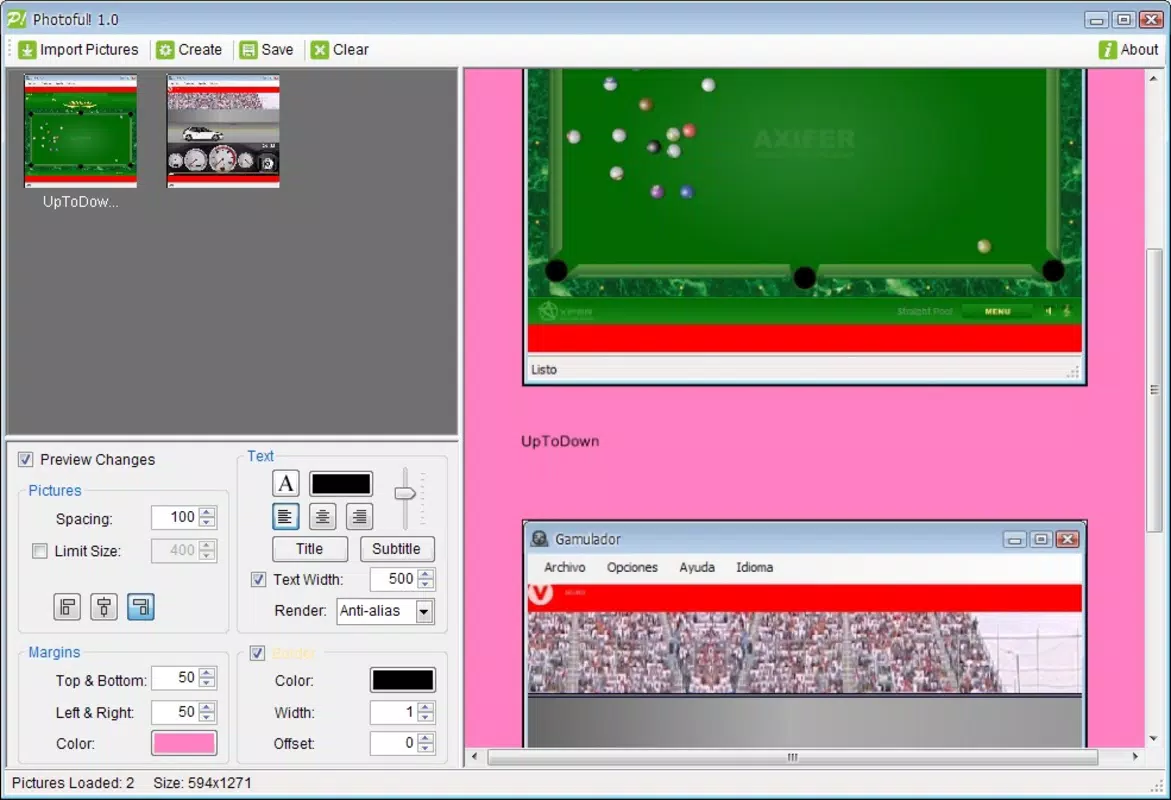
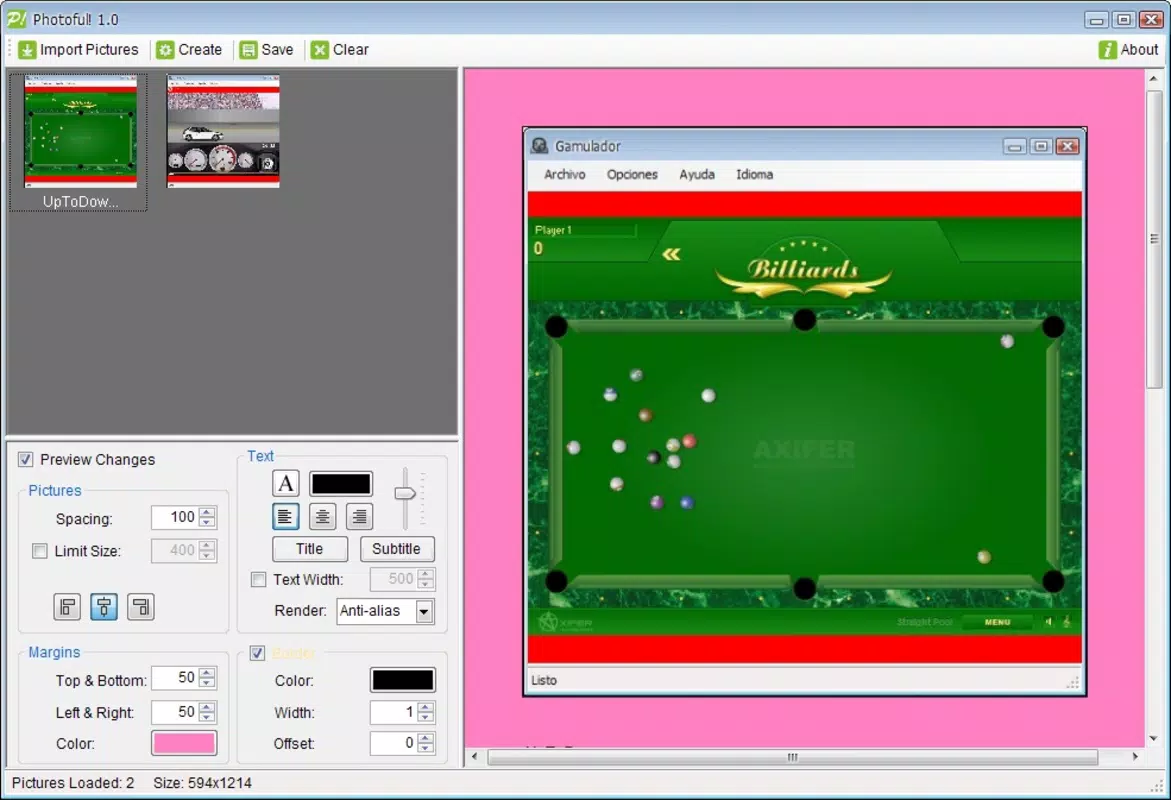
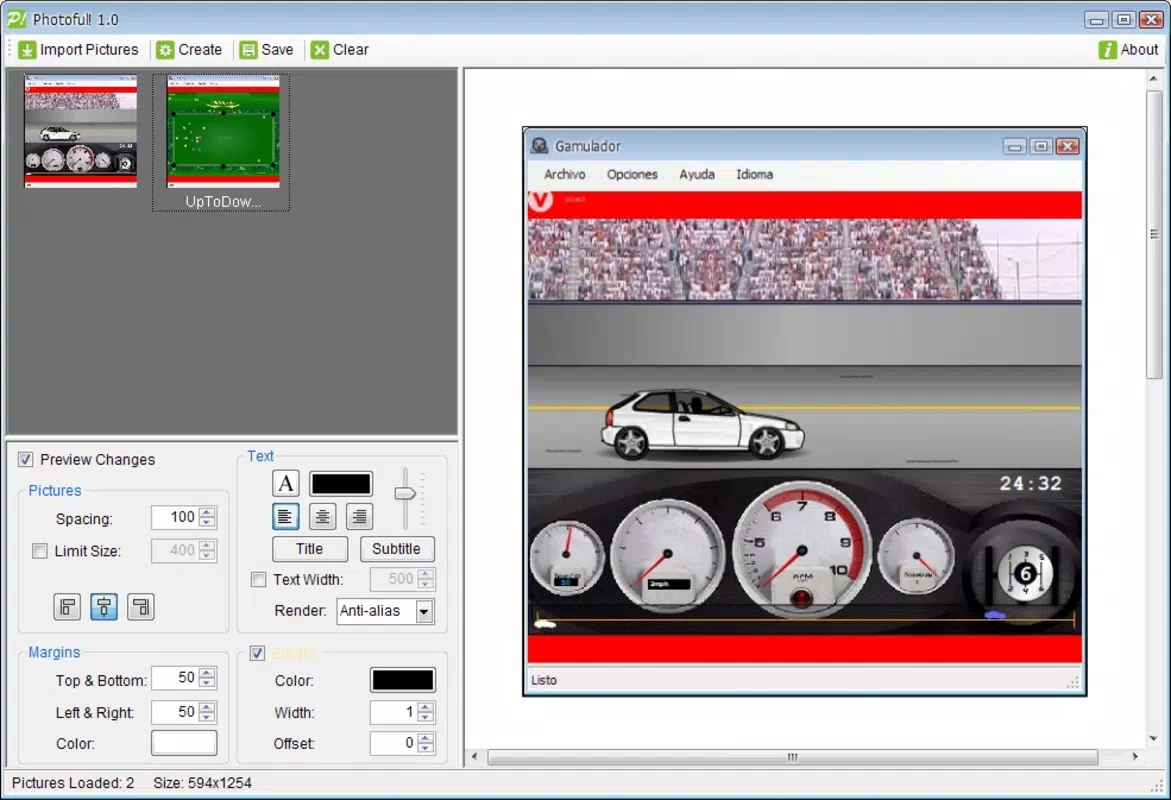
- Customizable Layout Options: Photoful! allows users to choose from various frame styles and adjust spacing, size, and alignment between images. This flexibility supports both symmetrical and asymmetrical designs, enabling creative expression based on theme or aesthetic preference.
- Text and Font Variety: The app includes tools to add personalized text with adjustable font styles, sizes, and colors. This feature enhances the narrative quality of collages, allowing users to label photos, add quotes, or include captions for better context.
- Multiple Save Formats: Once a collage is complete, users can export their work in multiple formats including JPG, PNG, TIFF, GIF, and BMP. This ensures compatibility across platforms and use cases, from digital sharing to printing or archival storage.
- Focused Functionality: The app remains dedicated to collage creation, avoiding feature bloat. This ensures stability and performance, particularly on older or lower-end Android devices.
For example, a user preparing a family reunion photo album could use Photoful! to arrange snapshots from the event into a dynamic layout, add a title like “Our Best Memories,” and save the result as a high-quality PNG for printing. Similarly, a student might create a visual report by merging research images and adding explanatory text, all within a single, organized collage.
Interface, UX & Performance
Photoful! features a clean and straightforward user interface that prioritizes usability over visual flair. The layout is organized around core functions—image selection, layout adjustment, text addition, and export—ensuring that users can navigate the app without confusion. Navigation is linear and predictable, with clear buttons and minimal clutter, reducing the learning curve for new users.
The visual style is functional rather than decorative, with a minimalist design that keeps focus on the images being edited. Controls are positioned logically, and the app responds promptly to user inputs, contributing to a smooth editing experience. Although the developer did not list formal performance metrics, the app’s 15.2 MB file size suggests it is optimized for efficiency and low resource consumption.
Performance on different device categories appears to be consistent, given the app’s lightweight nature and long-standing availability. Users on older Android devices may benefit from its low system requirements, while newer devices can still enjoy fast load times and responsive interactions. Stability is likely maintained through years of updates, though specific release notes were not provided. Overall, the app delivers reliable performance for its intended purpose without lag or crashes during basic collage creation tasks.
Platform Compatibility & Technical Requirements
Photoful! is available exclusively on the Android platform. The current version is 1.0.1, and the app occupies 15.2 MB of storage space. The developer did not specify minimum OS requirements or compatibility details for specific Android versions. However, given the app’s release date in 2010 and its continued availability, it likely supports a broad range of Android devices, including those running older operating systems.
Users should expect compatibility with most Android smartphones and tablets, though the exact version range remains undisclosed. The app’s small file size further indicates it is designed for wide accessibility, including devices with limited storage or processing power. No additional permissions or hardware requirements were mentioned in the provided information, suggesting a lightweight footprint with minimal system access.
Pros and Cons
Pros
- Simple, intuitive interface ideal for beginners
- Lightweight at only 15.2 MB
- Supports multiple export formats including JPG, PNG, TIFF, GIF, and BMP
- Offers customizable layout and text options
- Free to download and use
Cons
- No advanced photo editing features such as filters or retouching
- Specific OS requirements were not listed
- Limited to Android platform only
- Developer did not provide update history or changelog
- Minimal visual customization beyond layout and text
FAQ
Is Photoful! safe to download and install?
Yes, the app is free and available through official Android channels. It does not require elevated permissions and has a small file size, reducing security risks.
Can I use Photoful! on iOS devices?
No, the app is currently only available for Android. There is no iOS version or official release planned as of now.
What file formats can I save my collage in?
Photoful! supports saving in JPG, PNG, TIFF, GIF, and BMP formats, offering flexibility for sharing and printing.
Does Photoful! require an internet connection?
No, the app functions entirely offline. All editing and saving processes occur locally on the device.
How often is Photoful! updated?
The developer did not provide information on update frequency. However, the app has remained available since 2010, indicating ongoing maintenance.
Final Thoughts
Photoful! stands out as a reliable and efficient tool for users focused on creating photo collages without the complexity of full-featured editors. Its clean interface, lightweight design, and support for multiple output formats make it a practical choice for everyday use. While it lacks advanced editing capabilities, its specialization ensures a smooth and focused experience.
Those who value simplicity, quick results, and the ability to share visually compelling compositions will find great value in this app. Whether for personal projects, social media, or educational purposes, Photoful! delivers on its core promise. For Android users seeking a no-frills collage maker, it remains a solid option.
Download Photoful! now


